AI Pickup Lines from Profile Photos: Examples and Tips

AI pickup lines from profile photos work best as editable conversation starters: notice a visible detail, add a short personal reaction, and ask an easy question. A guitar, meal, or hiking scene gives you something to discuss. It does not tell you a person's personality, identity, relationship status, or interest in you.
This guide focuses on choosing a photo cue and fixing a draft before sending it. For broader advice about tone and timing, read the dating app openers guide. Every message example below is a hypothetical editorial example, not a recorded AI output or a claim about reply rates.
How do you turn a profile photo into an opener?
Use the photo as the start of a conversation, not evidence for a conclusion about the person. Pick a detail they chose to show, acknowledge it in ordinary language, and ask something they can answer without explaining their life. If the detail is unclear, phrase your observation as a question.
The basic pattern is: visible detail + small reaction + easy question.
For a photo with a guitar, that might become: “I spotted the guitar—what do you like playing?” A food photo might prompt: “That pasta looks good. Was it a restaurant find or a cooking experiment?” Neither message needs a clever punchline to give the other person a direction.
Bumble's opening-line advice recommends asking about a specific profile photo. That supports using a clear cue; it does not establish that any particular wording will get a response.
Which details can you safely use from a photo?
Use objects and activities that are plainly visible, while leaving uncertain details open. A dog in a picture may be someone else's dog. A travel image may show a past trip rather than a current location. An AI draft can turn those uncertainties into confident statements, so check every assumption before sending.
| Visible cue | Avoid assuming | Better question |
|---|---|---|
| A dog beside the person | They own the dog | “Is that your dog or a very convincing guest star?” |
| A guitar in the frame | They are a professional musician | “Do you play, or was the guitar part of the occasion?” |
| A mountain trail | They hike every weekend | “Was that a regular walk or a special trip?” |
| A plate of food | They cooked it | “Restaurant recommendation or your own creation?” |
| A beach scene | They live nearby | “Was that a favorite trip?” |
| A team jersey | You know their personality or politics | “Is that your team, or is there a story behind the jersey?” |
Avoid guesses about ethnicity, age, health, income, sexuality, or private identity. Do not identify strangers in the background or investigate where someone lives.
What are natural photo-based pickup line examples?
A natural photo-based opener gives the match a clear topic without requiring them to perform a joke or accept a compliment. Start with a neutral question, then add warmth or light humor if that sounds like you. Keep the wording proportional to what you can actually see in the photo.
Food, cooking, and coffee
- “That breakfast looks worth getting up for. What was the best thing on the plate?”
- “I noticed the coffee photo. Are you loyal to one order or always trying something new?”
- “That cake looks good. Was it a baking project or a lucky find?”
Travel and outdoor activities
- “That trail looks beautiful. What was the best part of the walk?”
- “The beach photo has excellent vacation energy. Relaxing trip or packed itinerary?”
- “That museum photo caught my eye. Was there something there you especially liked?”
Ask about the experience, rather than their current whereabouts or travel schedule. Skip “I know exactly where that is” unless the place is explicit and your comment is relevant.
Pets, music, and hobbies
- “The dog seems very comfortable in front of a camera. Is that your usual photo partner?”
- “I spotted a keyboard. What do you enjoy playing?”
- “That pottery photo looks fun. Was it your first try?”
If the photo gives you no usable detail, use a simple shared-interest question instead. “What have you been enjoying lately?” is more honest than inventing an elaborate story from a selfie.
How should you edit an AI pickup line before sending it?
Treat the generated line as a draft. Remove invented facts, exaggerated intimacy, and phrasing you would never say aloud. Keep one clear photo reference and one manageable question. The final message should sound like your interest in the person, rather than a description of what an image model thinks it sees.
| Hypothetical draft | Why it needs editing | More natural version |
|---|---|---|
| “You must be a fearless adventurer.” | Turns one scene into a personality judgment | “That trail looks impressive. How was the walk?” |
| “Your dog already approves of our first date.” | Assumes ownership and mutual interest | “Is that your dog? They seem to enjoy the camera.” |
| “A chef like you can cook for me anytime.” | Assumes they cooked and assigns them a role | “Did you make that dish or find a great restaurant?” |
| “We clearly share the same music taste.” | Claims a connection before learning their taste | “I spotted the guitar. What have you been listening to?” |
| “Your eyes tell me you're trouble.” | Makes a vague judgment about appearance | “What's something you're looking forward to this week?” |
Read your version out loud. If it sounds forced, shorten it. If the question has several parts, choose the one you most want answered.
How do you use the photo pickup line tool?
The photo pickup line generator accepts an image upload for a personalized draft. Use it only with a screenshot or image you are permitted to use. It needs a photo; a written description of the photo is not an alternative input in this workflow. Review the result before sending.
- Select an image with a clear, relevant detail.
- Remove unrelated identifying information and other people's messages where practical.
- Upload the image in the personalized pickup lines section.
- Review any suggested wording for assumptions, tone, and accuracy.
- Edit the draft into something you would comfortably say yourself.
If you cannot or do not want to upload an image, use the examples in this article to write manually. For a broader first-message starting point, visit the dating app opener tool. If the conversation is already underway, use the dating reply generator and respond to what the person actually said.
What changes on Tinder, Hinge, and Bumble?
The same photo cue can suit different apps, but the place you send it depends on the app's conversation features. Check the available controls rather than assuming every app allows a message before matching. Platform rules also affect whether you can capture the image for an external tool in the first place.
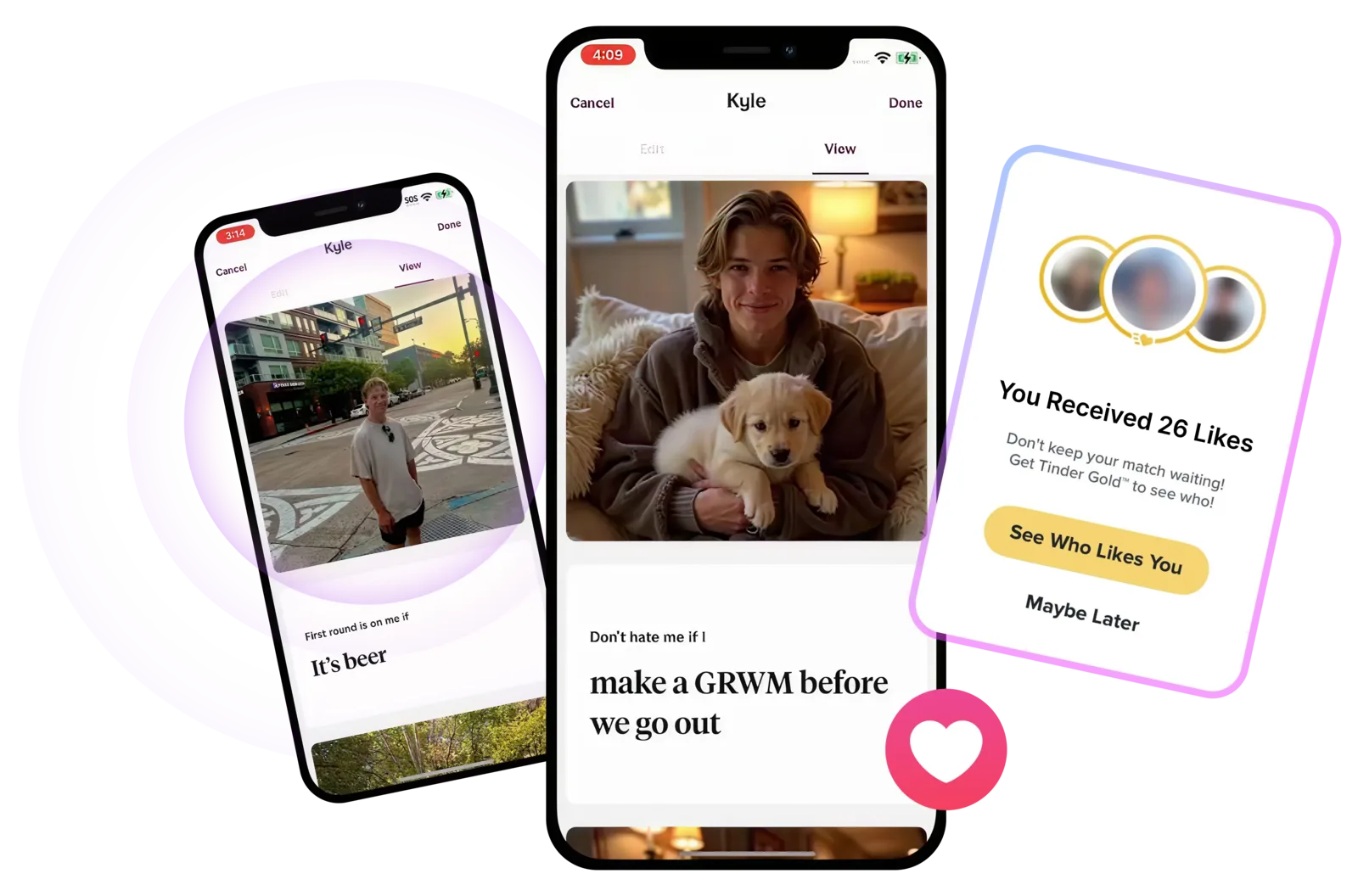
Hinge allows a comment with a Like on a photo or prompt. A brief question about that specific item can fit there; chatting follows a match.
On Bumble, the profile detail can help you compose your first message. Bumble's current conversation guidance describes one opening message from each person before the chat fully unlocks. Use a clear photo cue for that message, and follow the controls shown in your own app as features change.
Tinder's screenshot and screen-recording protection blocks profile captures in select regions. If the app blocks a screenshot, respect that restriction. Do not seek a workaround for the upload tool; write an opener manually from a detail you can see in the app.
What should you leave out of a photo-based opener?
Leave out private information, sexual commentary, and claims that a photo reveals someone's inner character. Ask about the visible activity instead of their body or exact location. Even a public-facing profile deserves restraint: something being visible does not make every inference appropriate to send or every detail appropriate to upload.
Tinder's safety tips advise protecting personal information. Apply that principle to your own information and the match's: avoid phone numbers, addresses, workplaces, and unrelated conversations when selecting an image. Check an external tool's privacy policy before sharing an image; this guide makes no claim about storage or retention.
If a draft seems invasive, change the topic. Invite a conversation the other person can comfortably join.
Photo-based pickup line FAQ
These answers cover common decisions about photo-based AI openers: whether you need an image, what the image can tell you, and when to switch from an opener to a reply. Use AI as help with wording while keeping your own judgment about consent, platform restrictions, and the conversation's actual context.
Can I create a pickup line from a photo description?
You can write one manually using a description and the examples above. The photo pickup line tool linked here requires an image upload; it does not accept a text description instead. If uploading is unavailable or inappropriate, choose a visible detail in the app and write a short question yourself.
Can AI tell whether someone likes me from their profile photo?
No. A profile photo does not establish romantic interest, compatibility, or consent. AI can suggest wording around visible details, but those suggestions are not evidence about the person's feelings. Their replies and choices provide context for the conversation; a generated opener cannot replace that interaction.
What if the photo contains only a selfie?
You do not need to force a photo reference. Use a prompt, stated interest, or simple question instead. Avoid asking AI to invent personality traits from appearance. If the profile has little detail, a friendly question about something you enjoy is a reasonable way to begin.
Should I send a pickup line after we have already started chatting?
Usually, respond to the active conversation first. A new opener can feel disconnected if it ignores what the other person just told you. Use a profile detail when it connects naturally to their message, or save it for later. The best next line follows the context you already share.
What To Do Next
If this guide helped you diagnose the problem, the next step is to test the right tool on a real conversation, opener, or profile screenshot.
Related Reading
View all articlesDating
Best AI Model for Dating Chat in 2026? DatingHelpAI Tested Six
Six AI models for dating chat compared: 576 text outputs, quality scores, first-attempt reliability, latency, image limits, and published prices.
Dating
Tinder vs Hinge vs Bumble Messaging Rules for 2026
Compare Tinder, Hinge, and Bumble messaging rules for 2026, including who can message first, how matches begin, and how Opening Moves and comments work.
Dating
Dating App Conversation Examples from Match to First Date
See complete dating app conversation examples from the first message to a low-pressure date invite, with notes on replies, pacing, safety, and next steps.
About this content
Dating Help AI, operated by EasyGlobe, publishes product pages and dating-app workflow content to explain how the public tools work, document the current public product model, and help users apply suggestions with more context and care. For the current product overview and how uploads and comparison pages are handled, review the trust pages below.
The tools provide suggestions, frameworks, and second-pass review. They do not guarantee matches, replies, dates, or relationship outcomes. The content and outputs are educational dating-app guidance, not therapy, legal advice, or professional mental-health support.
Editorial review owner: Luhao Zhao, Founder and Product Lead, Dating Help AI, based in Los Angeles, California, United States. Product and trust-sensitive content is reviewed on a weekly cadence.