AI Dating Assistant Practical Guide and Examples
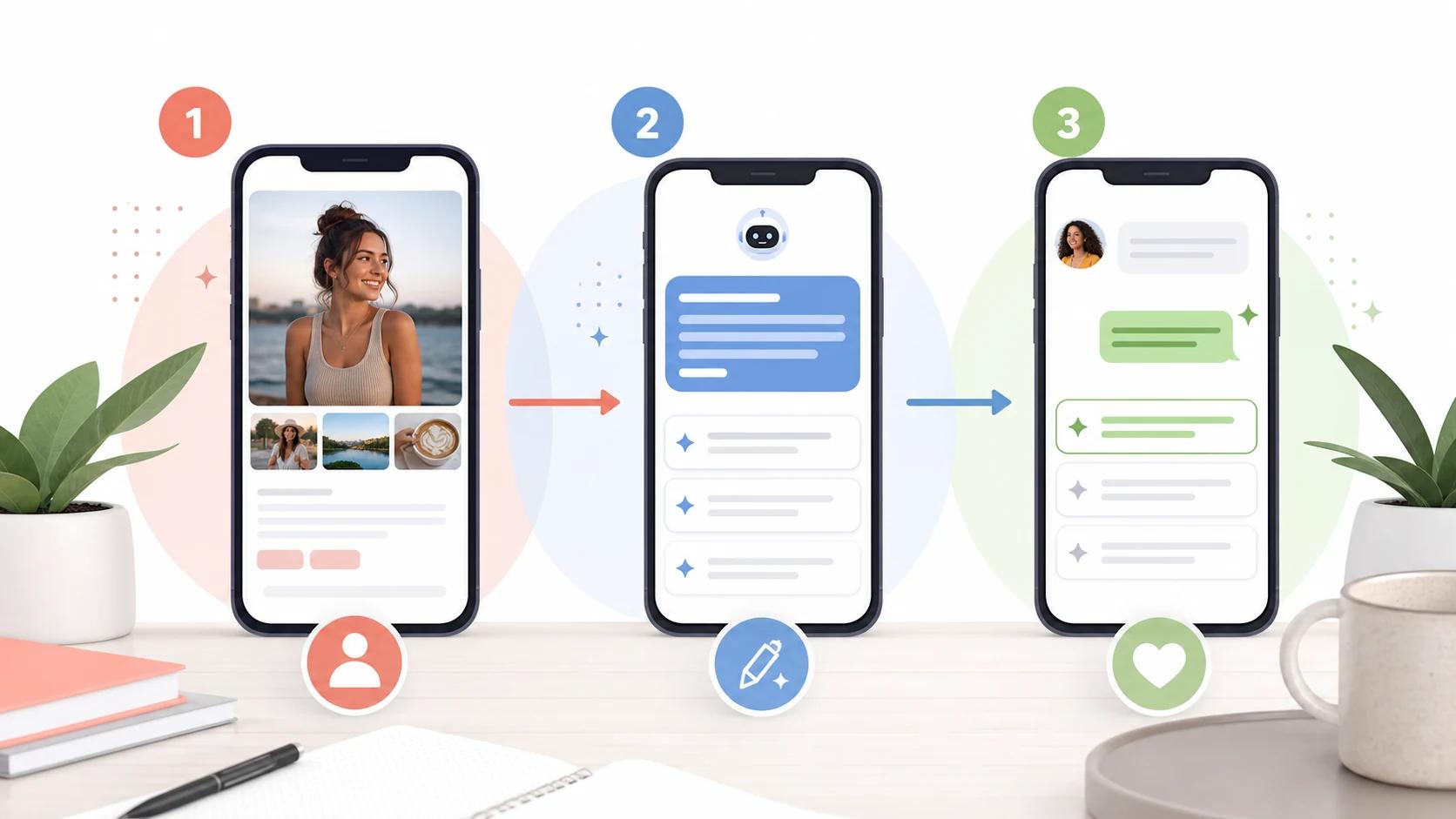
An AI dating assistant is most useful as a second pass on your dating app workflow. It can help you review a profile, write a specific opener, draft a reply, and slow down before you send something that feels rushed. It cannot guarantee matches, dates, chemistry, or a relationship.
DatingHelpAI treats the assistant as practical support, not a substitute for your judgment. The best use is simple: bring real context, choose the suggestion that sounds like you, and keep safety and consent ahead of clever wording.
What is an AI dating assistant?
An AI dating assistant is a tool that helps with common dating app tasks: profile feedback, first message ideas, reply drafts, and conversation pacing. It works best when it uses real profile or chat context instead of generic pickup lines.
On DatingHelpAI, that workflow is split into focused tools. Use the AI dating assistant hub to choose the right task, the profile analyzer when your profile needs work, the dating profile opener when you want a first message, and the AI reply generator once someone has already replied.
The important limit is control. An assistant can improve clarity, tone, and structure. It cannot control app ranking, attraction, timing, another person's preferences, or whether a conversation becomes a date.
When should you use an AI dating assistant?
Use the assistant when you already have context but need help turning it into a cleaner next step. If you have no profile details, no chat history, and no real interest, the tool has little to work with.
Good moments to use it include:
- Before publishing a profile, to check whether your photos and bio tell one clear story.
- After matching, to turn one profile clue into a first message.
- During a conversation, to choose between playful, direct, or slower reply options.
- Before asking someone out, to make the invite specific, public, and low pressure.
- After a confusing exchange, to identify whether you should clarify, pause, or stop.
This is also why the assistant should not be used as an autopilot. Dating messages are personal communication. The final choice, final wording, and final boundary should remain yours.
How can it help with your dating profile?
Start with the profile when matches are low or inconsistent. A stronger message cannot fully compensate for unclear photos, vague prompts, or a bio that gives people nothing easy to answer.
The profile analyzer is built for this first pass. A useful assistant should look at the profile as a whole: first photo, photo variety, bio hook, prompt answers, interests, and whether those pieces support the same impression.
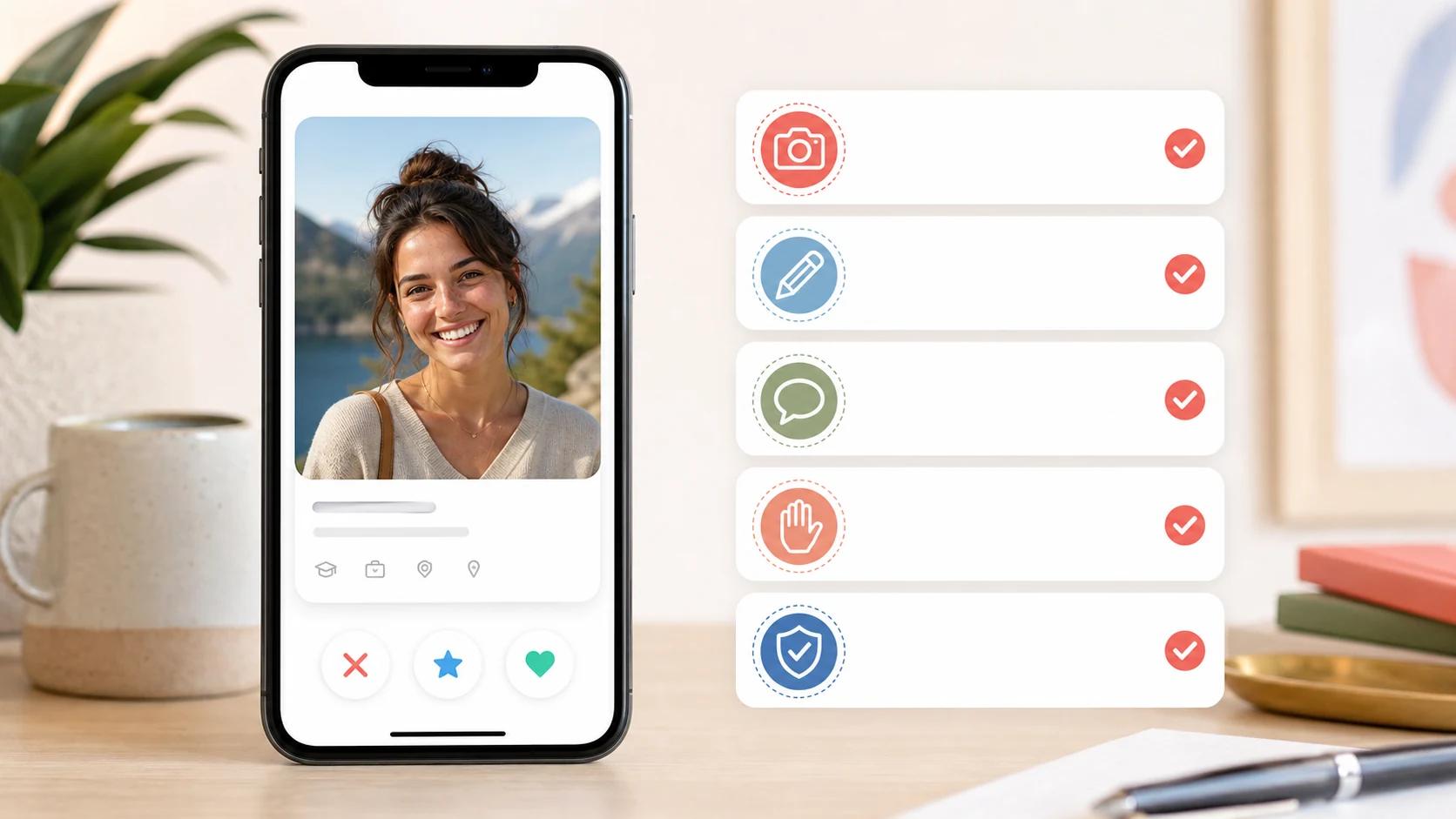
Use this profile checklist:
- First photo: clear face, current look, good light, and no need to guess who you are.
- Photo mix: one lifestyle image, one social or activity context, and enough variety to avoid repetition.
- Bio or prompts: one real detail that gives a match an easy question to ask.
- Intent signals: relationship goals and interests should match the story your photos tell.
- Safety: avoid home address clues, workplace details, children's identifying details, and daily routine specifics.
How can it write better openers?
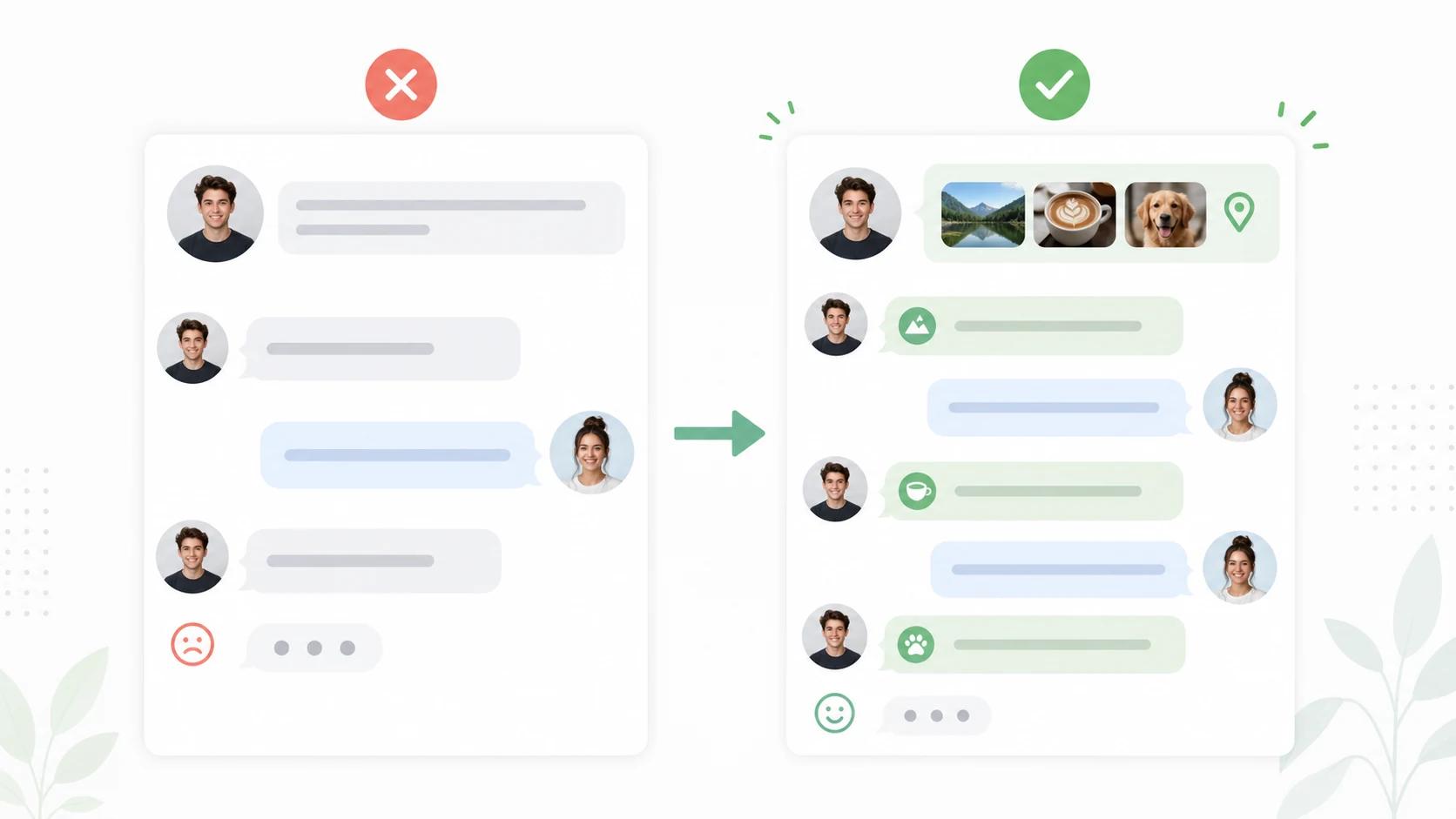
The assistant can write better openers when it starts from the other person's profile. The goal is not a perfect line. The goal is a message that proves you noticed something real and gives them an easy way to answer.
The dating profile opener follows that pattern. Upload or describe the profile context, then choose an opener that fits your actual tone.
Examples:
- Profile clue: ramen photo
Opener: "Important question. Are you judging a ramen place by broth, noodles, or toppings first?"
- Profile clue: weekend hike
Opener: "That trail looks like it had a final boss hill. Worth it or never again?"
- Profile clue: bookshelf
Opener: "I see at least two books that look like strong opinions. Which one would you defend first?"
Avoid using the assistant to fake shared hobbies or invent personal details. If you would not say it out loud or explain it later, rewrite it.
How should you use AI replies without sounding fake?
Use AI replies as drafts, not scripts. The AI reply generator can suggest different angles after you upload a chat screenshot or paste conversation context, but the suggestion still needs a human edit.
Before sending, run three checks:
- Accuracy: Does the reply match what was already said?
- Voice: Would you naturally send this message?
- Pressure: Does it respect the other person's pace?
If the answer is no, simplify the wording. A reply that is slightly less polished but more honest usually works better than a line that sounds imported from someone else's personality.
This is also where AI has a real limitation. NIST describes AI risk management as a way to improve how organizations consider trustworthiness in AI systems, and its generative AI profile focuses on risks unique to generative systems. For dating app users, the practical takeaway is narrower: treat generated text as a suggestion that can be wrong, awkward, biased, or too confident.
What should an AI dating assistant never do?
The tool should never replace consent, honesty, or your own judgment. It should help you communicate more clearly, not help you manipulate someone.
Keep these lines clear:
- Do not invent a job, hobby, travel story, relationship goal, or personal belief.
- Do not use AI to impersonate another person or copy a match's style in a deceptive way.
- Do not keep pushing after someone slows down, says no, or stops answering.
- Do not ask the tool to write guilt, pressure, sexual escalation, or fake urgency.
- Do not share private screenshots beyond what the task requires.
- Do not treat a generated reply as safer than your own judgment.
DatingHelpAI's product boundary is the same: suggestions, frameworks, and second-pass review. The tools do not guarantee matches, replies, dates, or relationship outcomes.
How should safety change your workflow?
Safety should shape the whole workflow. Better messages are only useful if they sit inside slower trust, clear boundaries, and common sense.
Tinder's safety guidance says to protect personal information, keep conversations on platform while getting to know someone, be cautious with long-distance or overseas stories, and meet in public when you do meet. The Federal Trade Commission gives a blunt romance-scam rule: do not send money or gifts to a person you have not met in person.
Pew Research Center's 2023 online dating report also shows why safety belongs in the main workflow, not a footnote. About half of U.S. adults who have used dating sites or apps said they had come across someone they thought was trying to scam them.
Use these rules before you let any assistant optimize a message:
- Keep early chats on the dating app when possible.
- Do not send money, gift cards, crypto, account access, or financial details.
- Be careful with people who avoid meeting, avoid video or phone calls, or push intense commitment early.
- Meet first in a populated public place and tell someone you trust where you are going.
- Report suspicious behavior to the platform.
What is a practical AI dating assistant workflow?
A repeatable workflow keeps you from overreacting to one slow chat or one unanswered message. It also keeps the assistant focused on one job at a time.
- Review your own profile with the profile analyzer before rewriting messages.
- Fix the weakest profile signal first, usually the first photo, vague bio, or generic prompt answer.
- Use the AI dating assistant hub to choose the right tool for the moment.
- For a new match, generate profile based openers only after reading their profile yourself.
- For an active chat, use the reply tool for options, then rewrite the best option in your own voice.
- Ask for a date only when there is mutual effort and a natural reason to meet.
- Review results after a week, not after every message.
For a broader match strategy, read the DatingHelpAI guide on how to get more matches on dating apps. For Tinder-specific help, see the Tinder helper guide.
What are good examples of AI assisted messages?
Good AI assisted messages are specific, short, and easy to answer. They also leave room for the other person to say yes, no, or something unexpected.
Profile based opener examples:
- "That pottery photo looks like it went either peacefully or chaotically. Which was it?"
- "Your hiking photo has strong 'great view after questionable decisions' energy. Accurate?"
- "I respect the espresso martini confidence. Best one in the city so far?"
Reply examples:
- If they mention a busy week: "That sounds packed. Want a low-effort question or a distraction question?"
- If they tease your food opinion: "I accept the challenge, but I need to know your strongest controversial food take first."
- If the chat has real momentum: "This feels easier to continue over coffee. Want to test that this week?"
The pattern matters more than the exact words. Notice something real, make the response easy, and do not force intensity before the conversation earns it.
How do you choose the right next step?
Choose the next step by diagnosing the bottleneck. If few people match, the profile is probably the first job. If matches happen but conversations do not start, opener quality may be the issue. If chats start and stall, reply pacing and specificity deserve attention.
Use this simple map:
- Low matches: start with dating profile review.
- Matches but weak starts: use profile based openers.
- Active chat uncertainty: use the AI reply generator.
- Broader strategy questions: use the AI dating coach.
- Playful line ideas: browse pickup lines, then adapt them to context.
The best assistant workflow is not about sending more messages. It is about sending fewer lazy messages and making the useful ones easier to answer.
FAQ
Can an AI dating assistant guarantee matches?
No. It can help with profile clarity, opener specificity, and reply quality, but it cannot guarantee matches, replies, dates, attraction, or relationships.
Is it okay to copy an AI dating reply exactly?
Sometimes, but it is usually better to edit it. Keep the structure if it helps, then adjust the words so the message matches your real voice and the actual conversation.
What should I upload to an AI dating assistant?
Upload or paste only the context needed for the task. For profile feedback, use relevant profile screenshots. For replies, use the chat context needed to understand the latest message. Avoid extra personal, financial, or identifying details.
Which DatingHelpAI tool should I start with?
Start with the profile analyzer if you are not getting matches, the dating profile opener if you just matched, and the AI reply generator if someone has already answered.
Sources
- DatingHelpAI AI Dating Assistant for current tool positioning, workflow, and internal product structure.
- DatingHelpAI public product and trust pages for current editorial and product boundary context.
- Federal Trade Commission romance scam guidance for scam patterns, money safety, and reporting guidance.
- Tinder Safety Tips for personal information, on-platform messaging, and in-person meeting guidance.
- Pew Research Center on U.S. online dating experiences for 2023 online dating user experience and scam context.
- NIST AI Risk Management Framework for AI trustworthiness and generative AI risk management context.
What should you do next?
If your profile is unclear, start with the profile analyzer. If you just matched, try the dating profile opener. If someone already replied, use the AI reply generator and edit the result until it sounds like you.
What To Do Next
If this guide helped you diagnose the problem, the next step is to test the right tool on a real conversation, opener, or profile screenshot.
Related Reading
View all articlesDating
Tinder vs Hinge vs Bumble Messaging Rules for 2026
Compare Tinder, Hinge, and Bumble messaging rules for 2026, including who can message first, how matches begin, and how Opening Moves and comments work.
Dating
Dating App Conversation Examples from Match to First Date
See complete dating app conversation examples from the first message to a low-pressure date invite, with notes on replies, pacing, safety, and next steps.
Dating
How to Reply to Dating App Messages with 50 Examples
Learn how to reply to a dating app message with a five-step framework and 50 examples for short answers, compliments, jokes, questions, and date invites.
About this content
Dating Help AI, operated by EasyGlobe, publishes product pages and dating-app workflow content to explain how the public tools work, document the current public product model, and help users apply suggestions with more context and care. For the current product overview and how uploads and comparison pages are handled, review the trust pages below.
The tools provide suggestions, frameworks, and second-pass review. They do not guarantee matches, replies, dates, or relationship outcomes. The content and outputs are educational dating-app guidance, not therapy, legal advice, or professional mental-health support.
Editorial review owner: Luhao Zhao, Founder and Product Lead, Dating Help AI, based in Los Angeles, California, United States. Product and trust-sensitive content is reviewed on a weekly cadence.